← Back to Wiki-rojna
TAS — True airspeed
Your real speed through the air — rises with altitude.
War Thunder · DCS World · X-Plane 12
Command and reading availability varies by aircraft.
The real instrument
The TAS (True Air Speed) is your real speed relative to the air around you. Unlike the IAS, it doesn't shrink with altitude — on the contrary, it rises: up high the air is thin, so the same IAS becomes a much higher TAS. It's the speed used for navigation and for estimating flight time between points.
What we added
- Shows the true airspeed (TAS) straight from the game — no math on your side.
- Circular dial identical to the IAS (needle + digital), with a compacted scale when the value is high. Same smooth movement as the IAS. Converts on its own to mph or kt according to the profile.
- Automatic color and scale per aircraft: with the plane in the database (1192 aircraft), the bands are built from Vne (green up to 85% of Vne, amber up to Vne, red above) and the full-scale adjusts itself to the aircraft. Aircraft outside the database use a default 0–1200 km/h scale with no bands.
Tips
- ›Use the TAS to plan navigation and intercepts: distance ÷ TAS ≈ flight time.
- ›For maneuvering and the plane's limits, keep looking at the IAS — the TAS color bands are a guide based on Vne, not the indicated limit itself.
Gauge visual
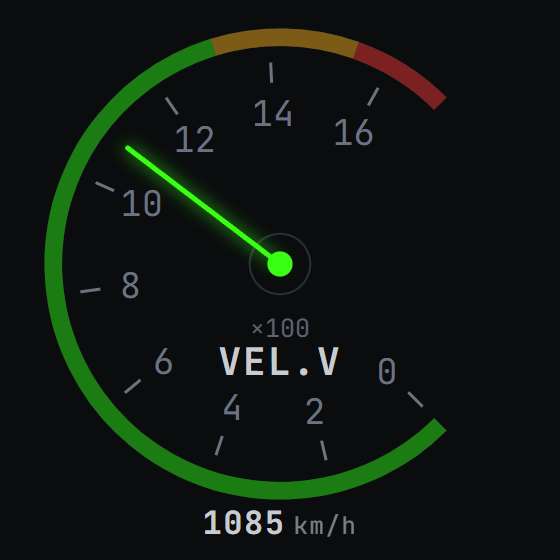
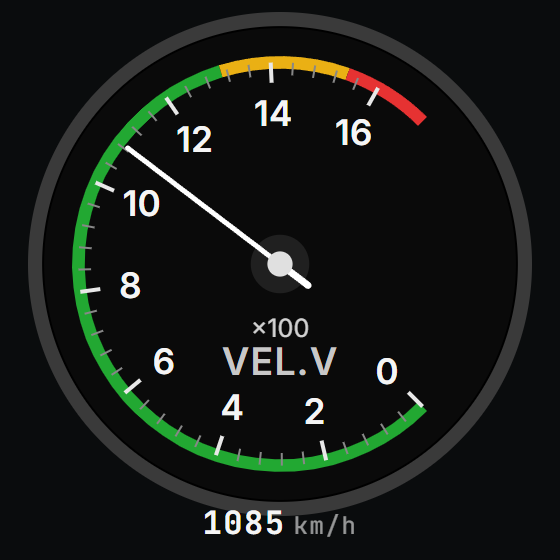
All through the official War Thunder API — no cheating.