Pular para o conteúdo
ASTAROJNATelemetry

Turn any device into part of your cockpit.

Any laptop, tablet or phone can become part of your simulator — with all the essential flight instruments, plus head tracking from your device's camera.

Now also: MSFS 2024, IL-2 Series and Assetto Corsa MSFS and IL-2 in beta · Assetto Corsa experimental
Try it on my PCGet the download by e-mail

Flight and racing on Windows · see simulators below

Get the complete app

One-time purchase · no required subscription

Your sim isn't listed yet? Join the waitlist

Supported simulators

MSFS 2024 and IL-2 are in beta. Assetto Corsa is experimental. Features and readings vary by simulator, aircraft or vehicle; not every instrument, map or control is available in every integration.

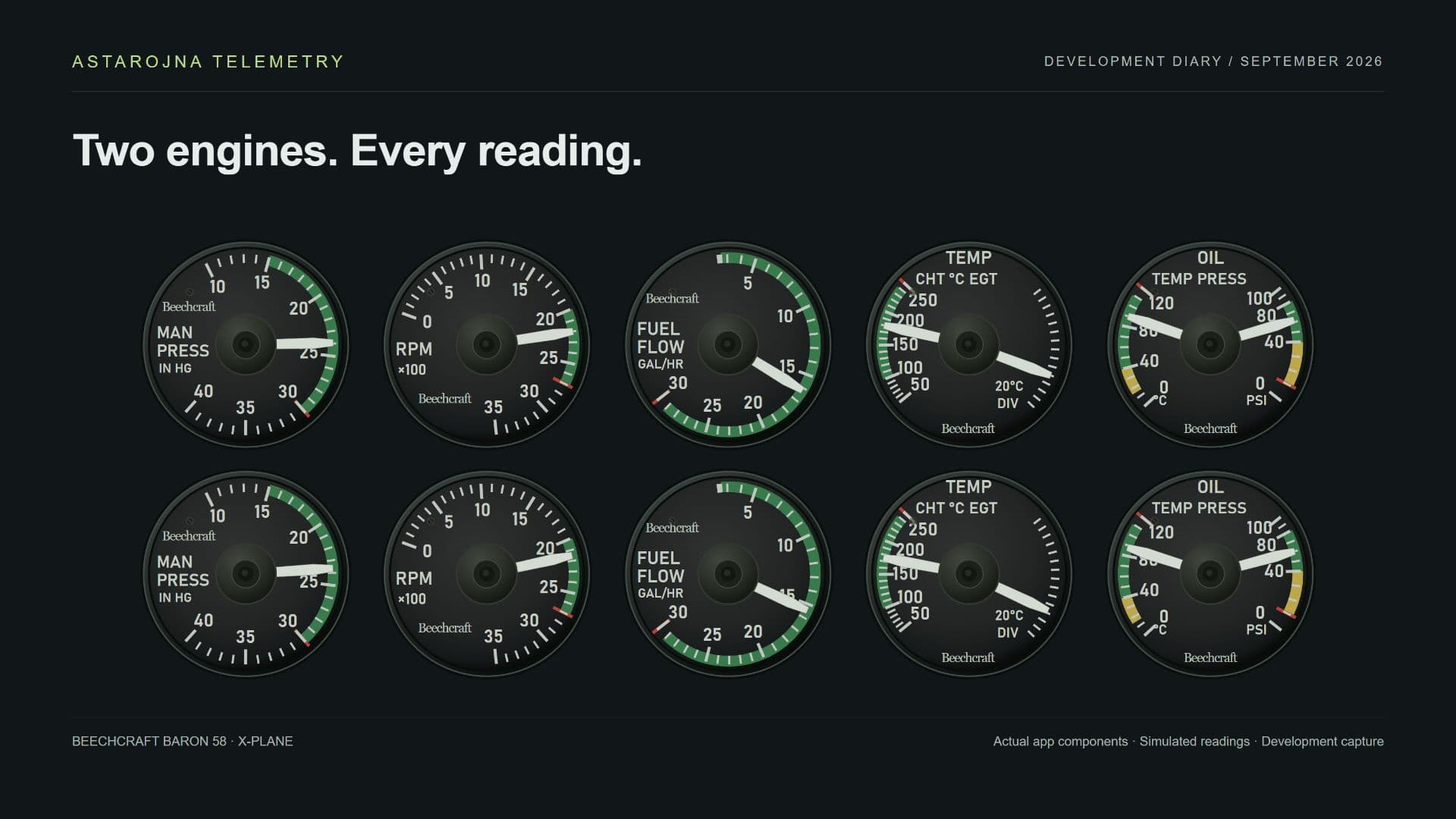
X-Plane 12 · Beechcraft Baron · Astarojna Telemetry

X-PLANE 12 · ASTA DISPLAY · ASTA DECK

Your X-Plane, beyond the monitor.

Touch your displays, operate controls and monitor each engine on your phone or tablet.

Asta Display for compatible windows, Asta Deck and Asta Controls, with individual Beechcraft Baron instruments.

Features and readings depend on the simulator and aircraft. Maps and navigation are not universal.

You already have what you need.

Use your phone, tablet, laptop or a second monitor as a panel for your simulator.

Each screen has its own layout. All of them follow the same aircraft.

ANY SCREEN

The screen that was sitting idle is now part of the cockpit.

Phone, tablet, laptop or second monitor — no cable, nothing to install on the device. It takes three steps.

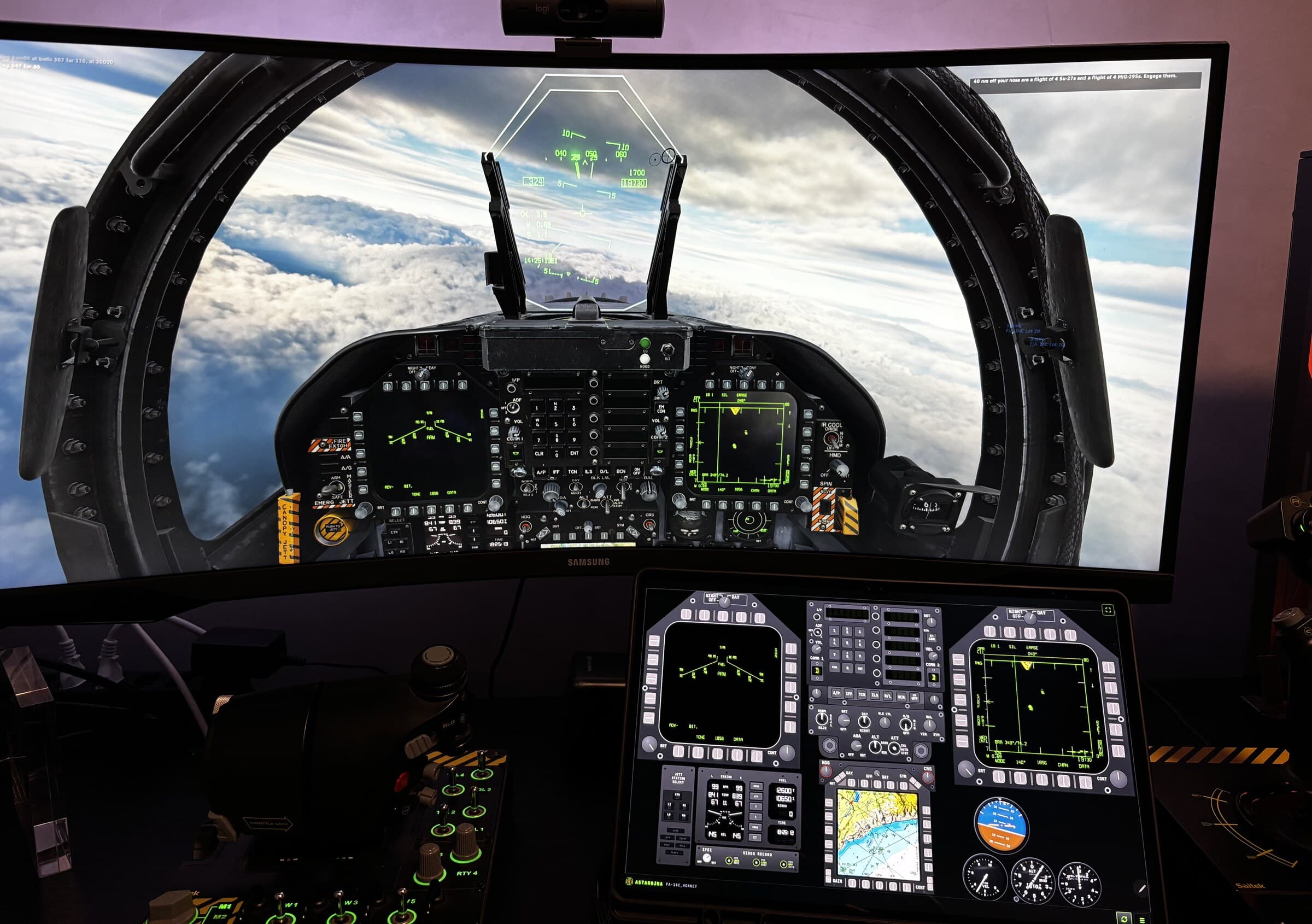
Simulator desk with the game on the monitor and a tablet below showing Astarojna Telemetry instruments
Real photo: tablet as the lower panel, simulator on the monitor.
  1. 01

    Scan the QR code

    The app shows the code on your PC screen.

  2. 02

    Open

    The panel opens in the device's browser, over your network.

  3. 03SYNC

    Use

    The instruments are already following the aircraft.

Connect up to 5 extra screens, each with its own layout.

Try it free
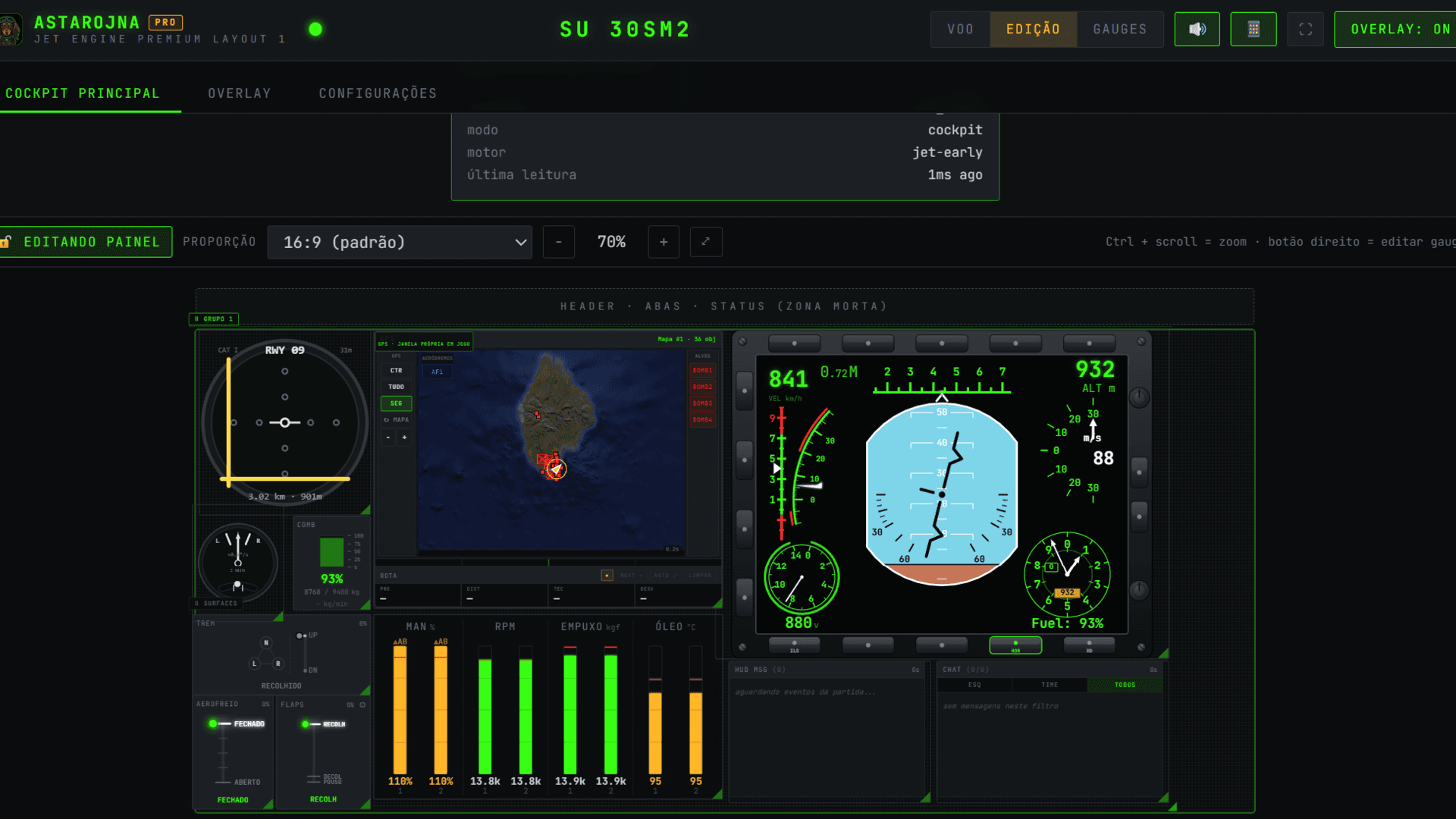
Astarojna Telemetry visual panel editor
EDIÇÃOSNAP 5 PX
THE EDITOR

Build it once. Then just fly.

You drag the instruments wherever you want and build the panel on screen — no config files. Astarojna saves everything and adapts the cockpit when you switch aircraft.

  • Drag and resize every instrument
  • One layout per screen and per aircraft, saved automatically
  • Community presets so you don't start from zero
WHAT GOES ON THE SCREENS

Instruments, MFD and head tracking.

INSTRUMENTS

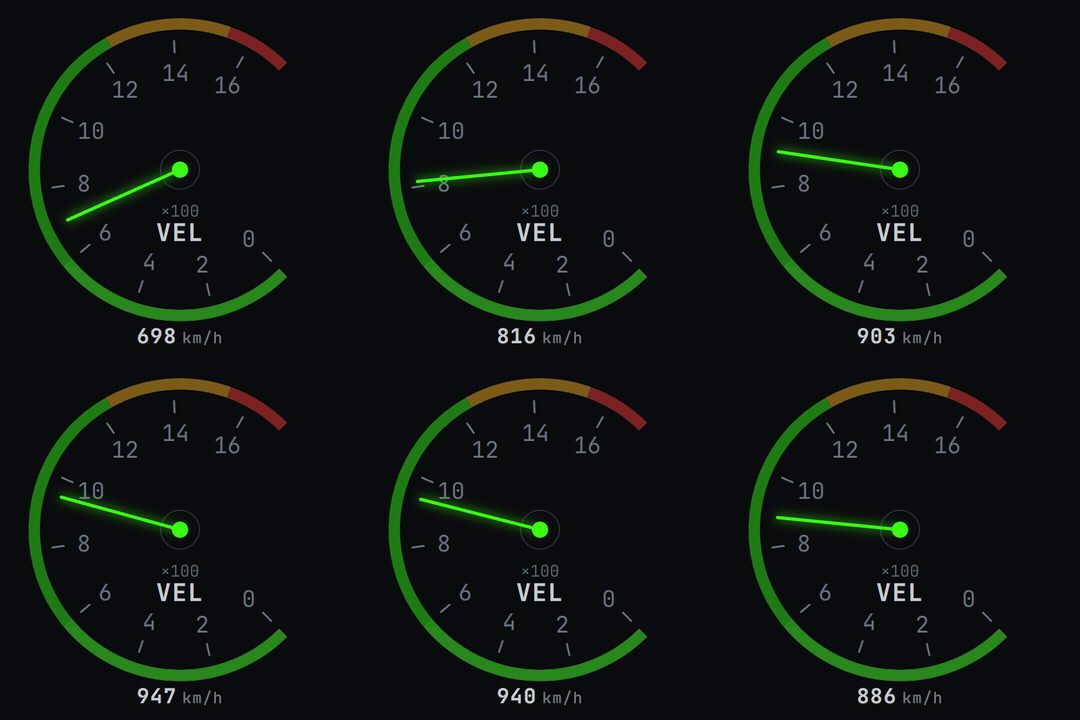
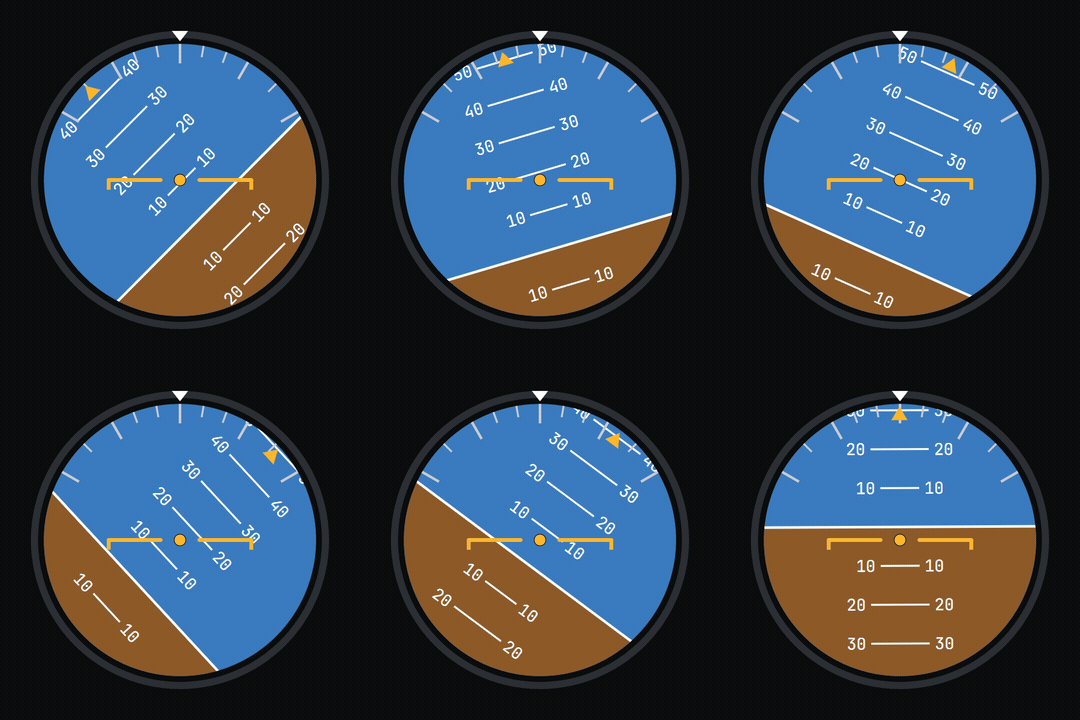
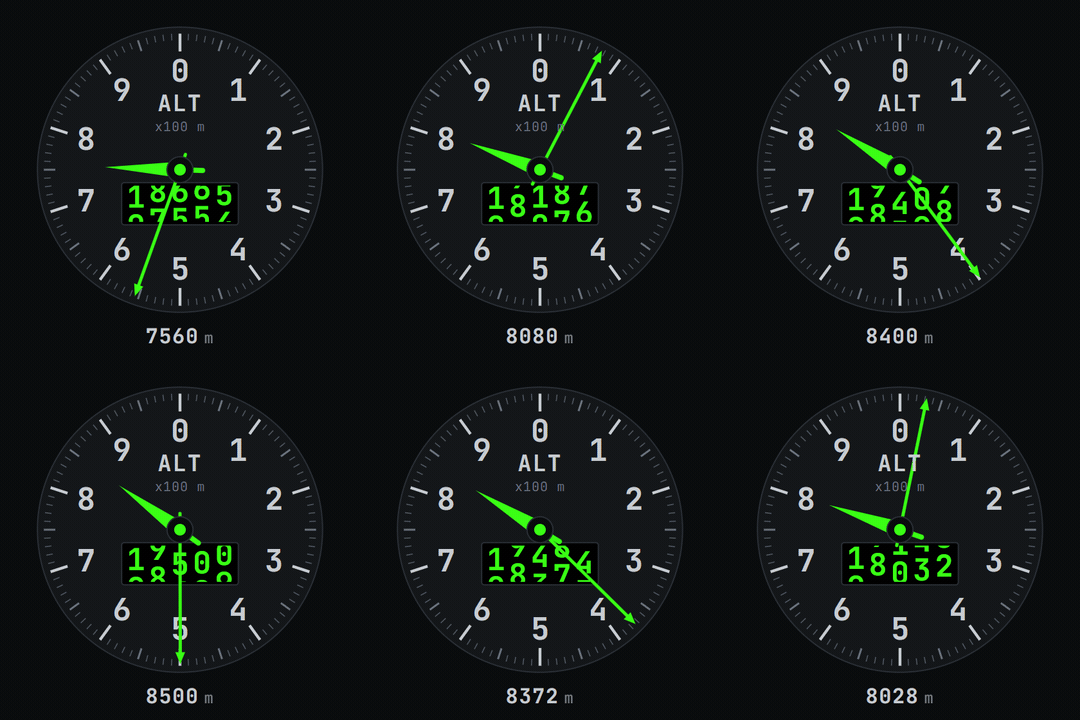
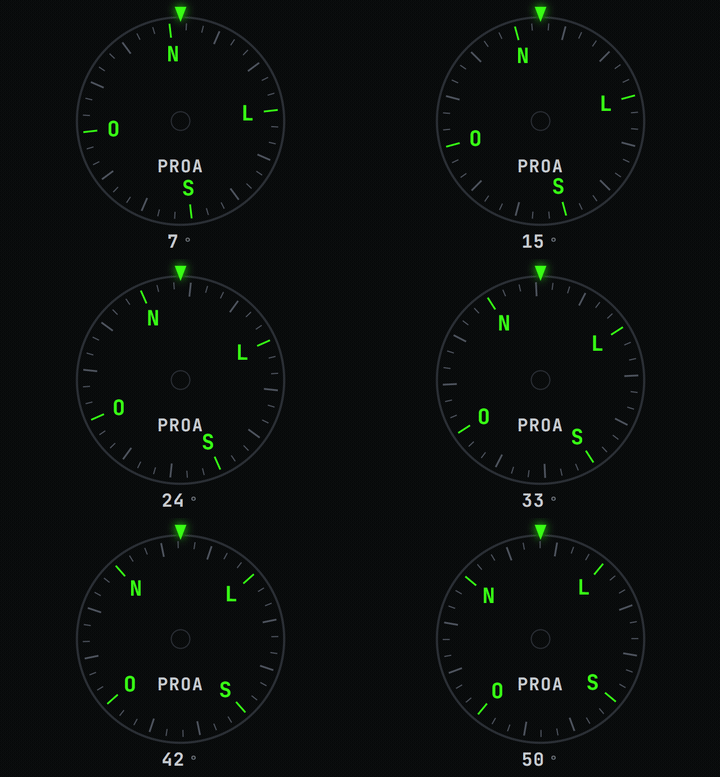
The needle follows the aircraft, not a string of numbers.

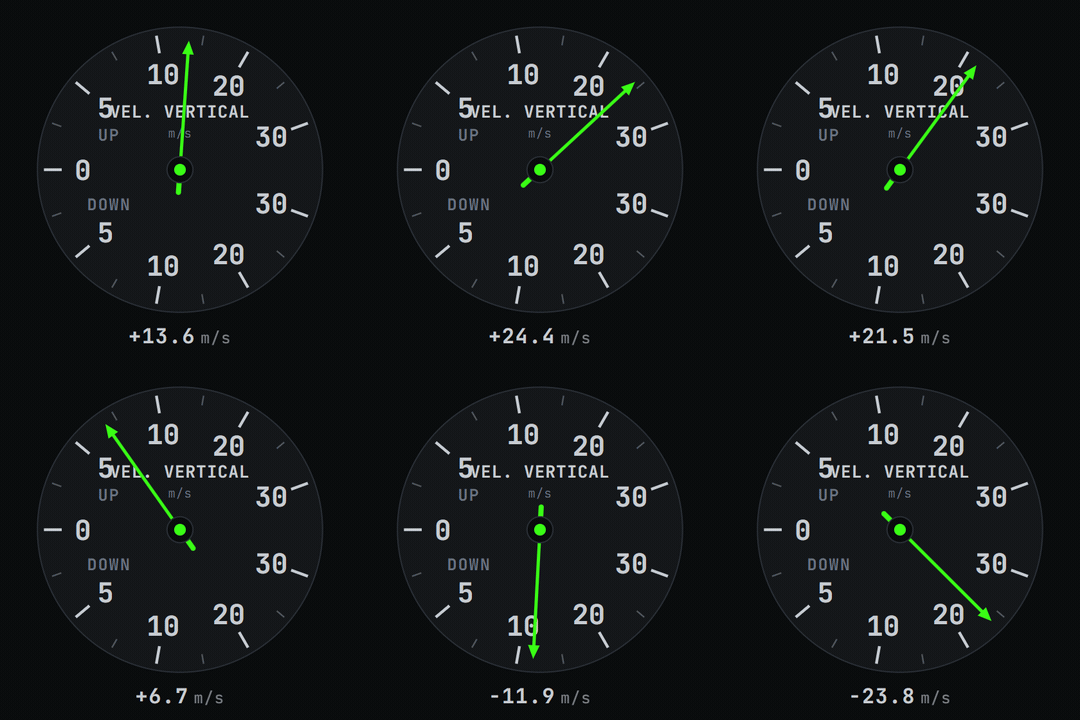
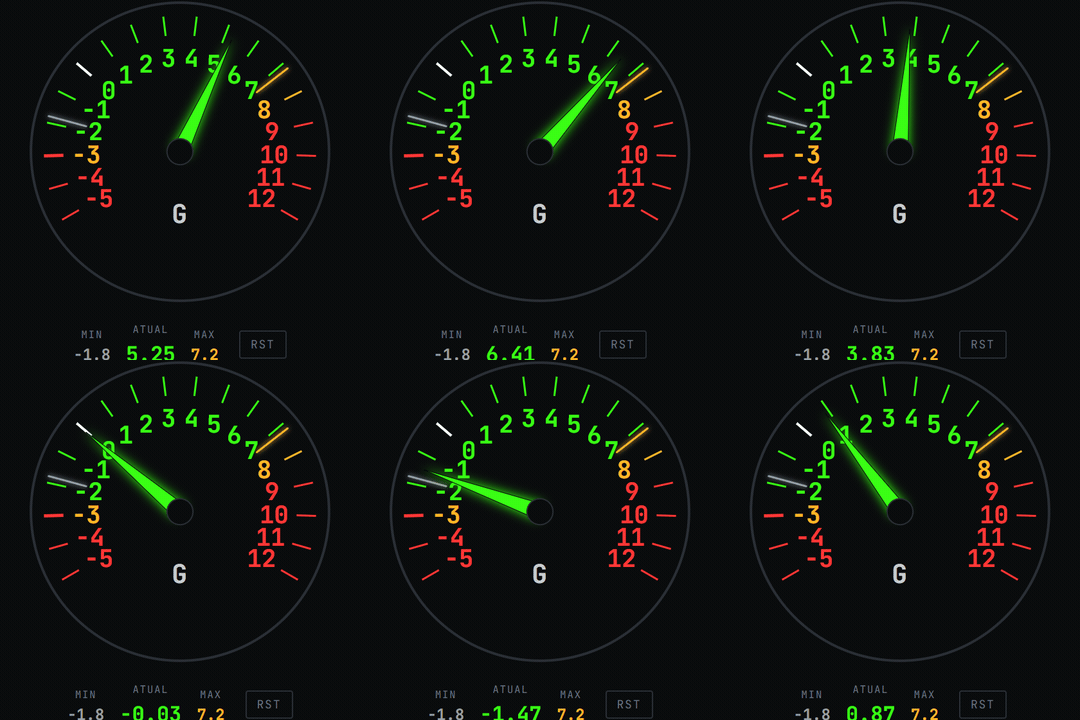
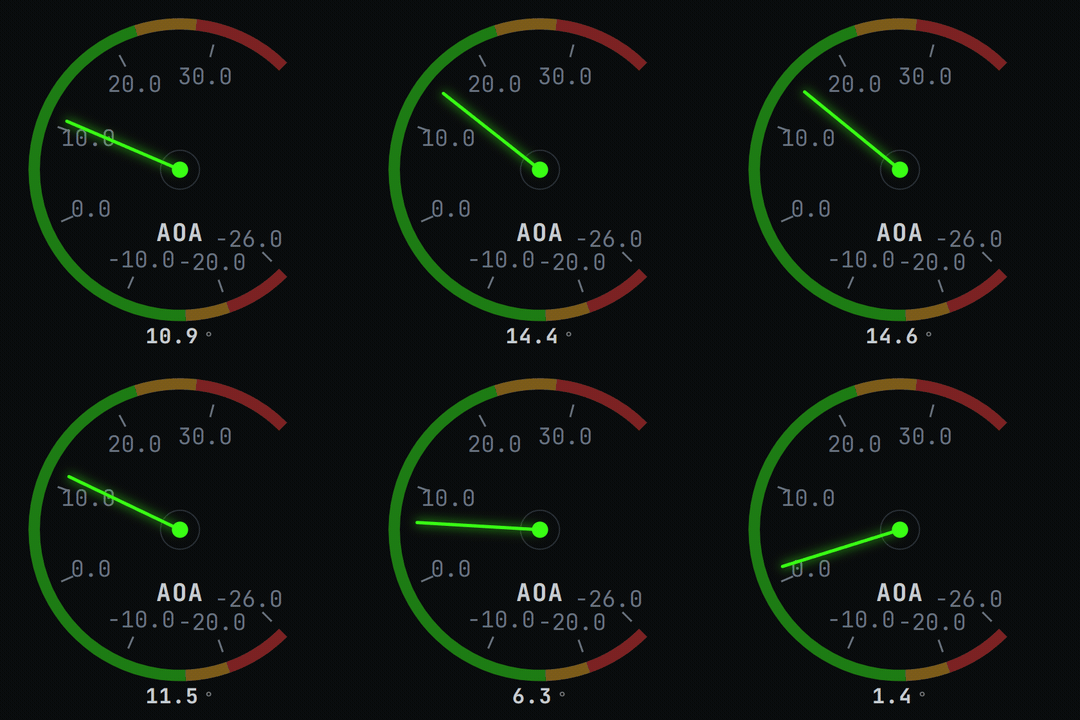
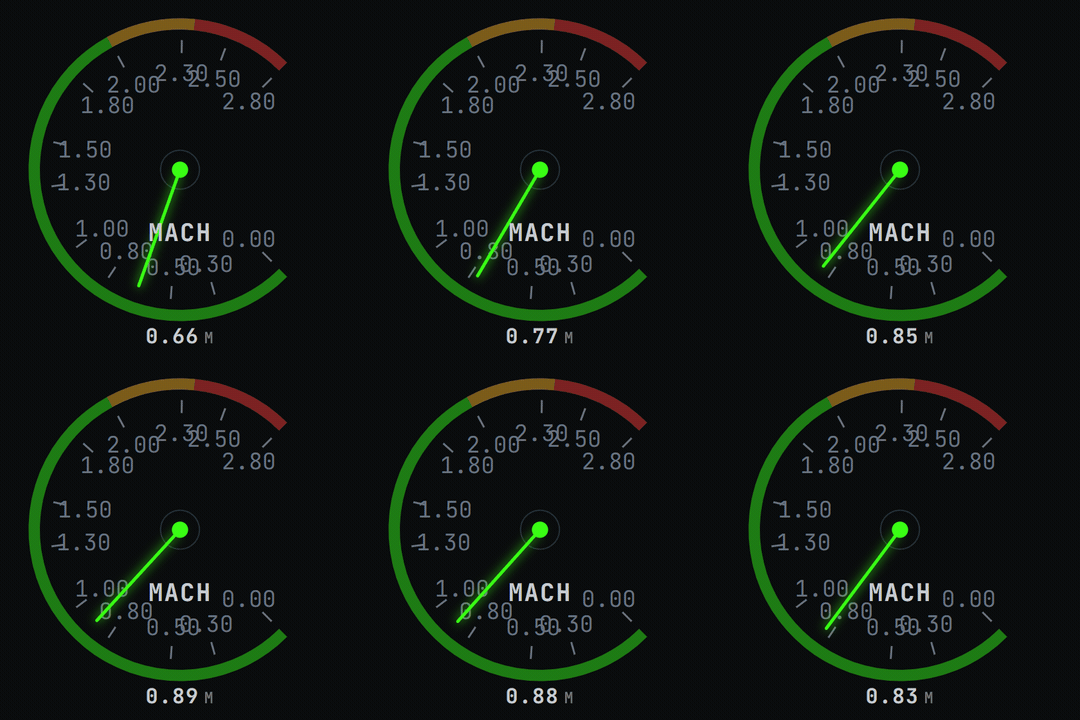
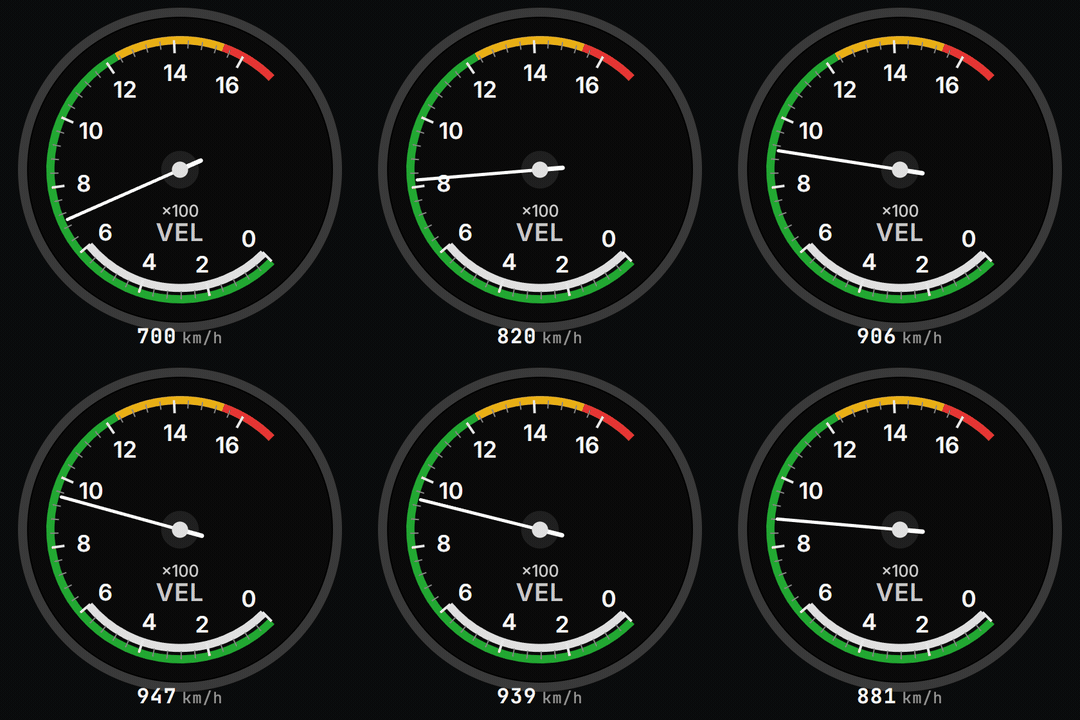
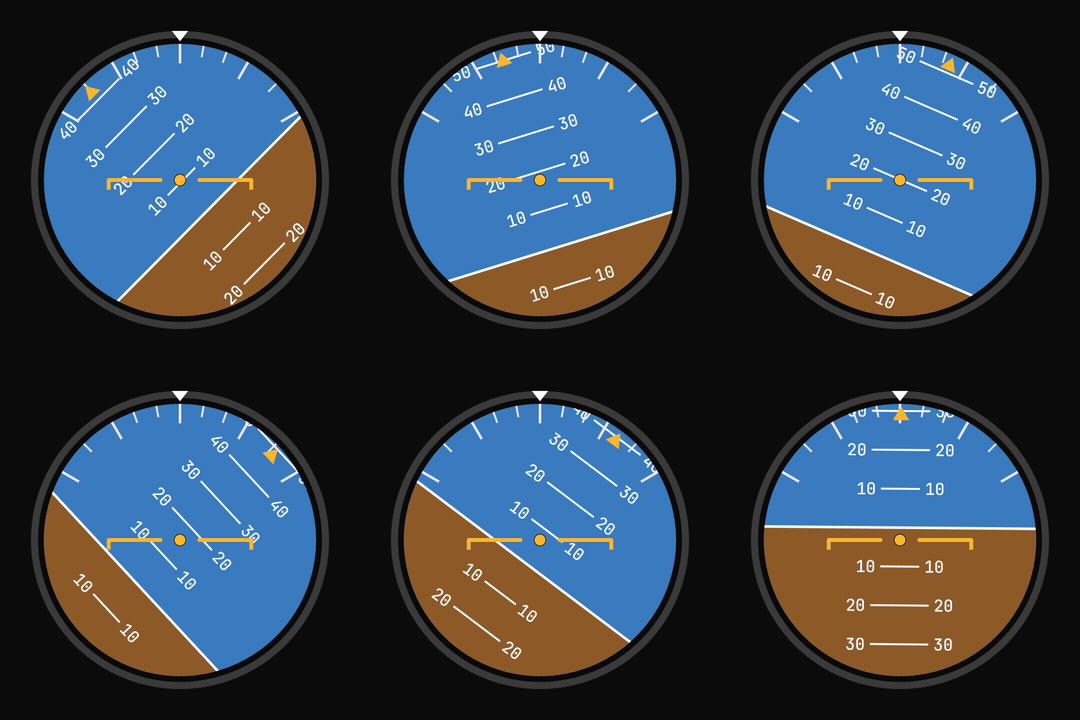
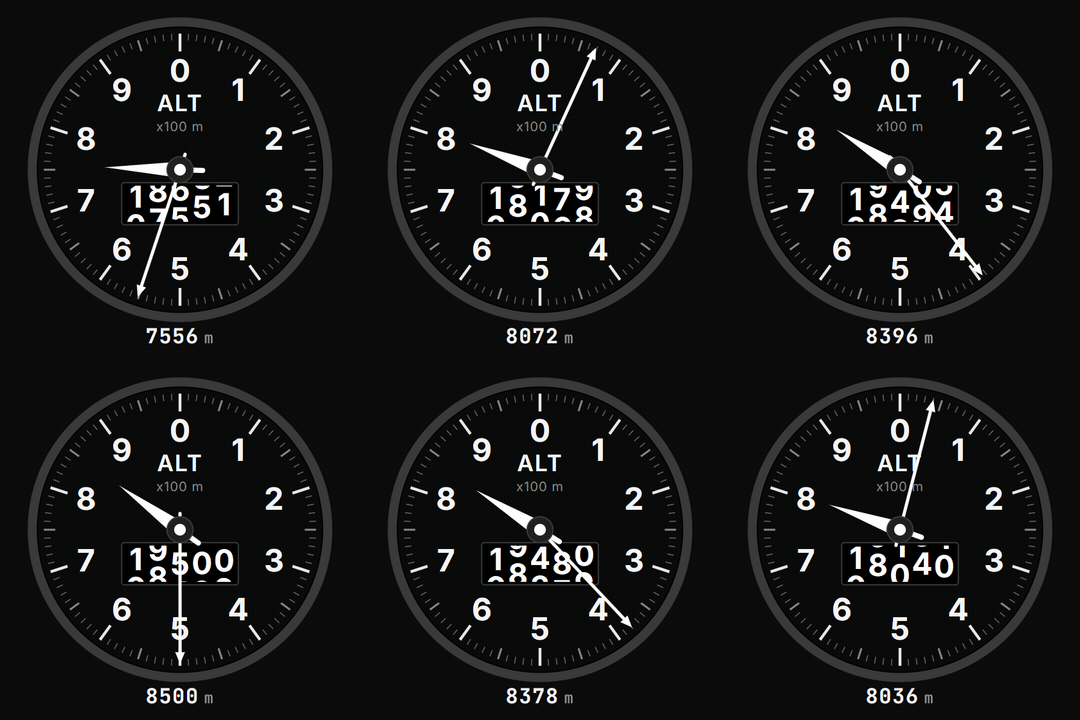
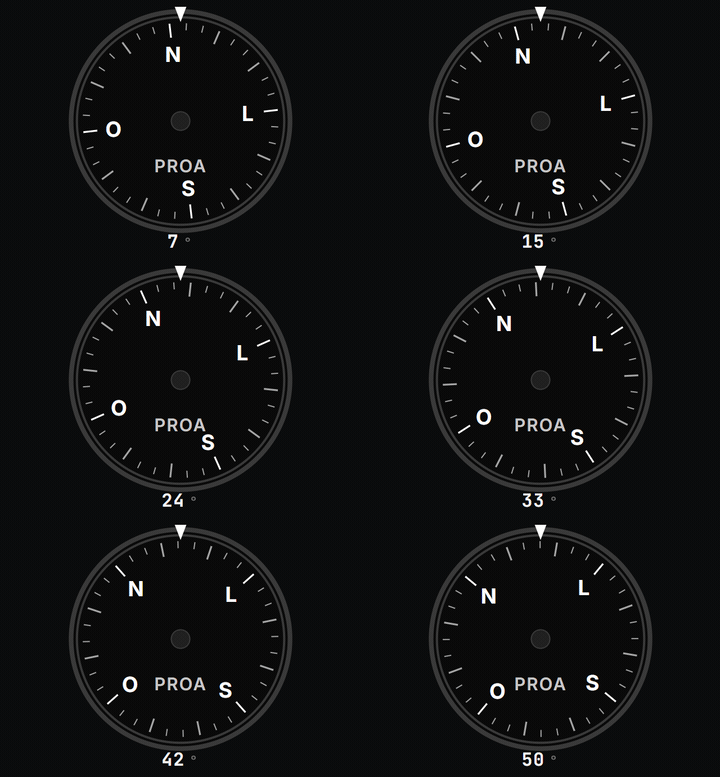
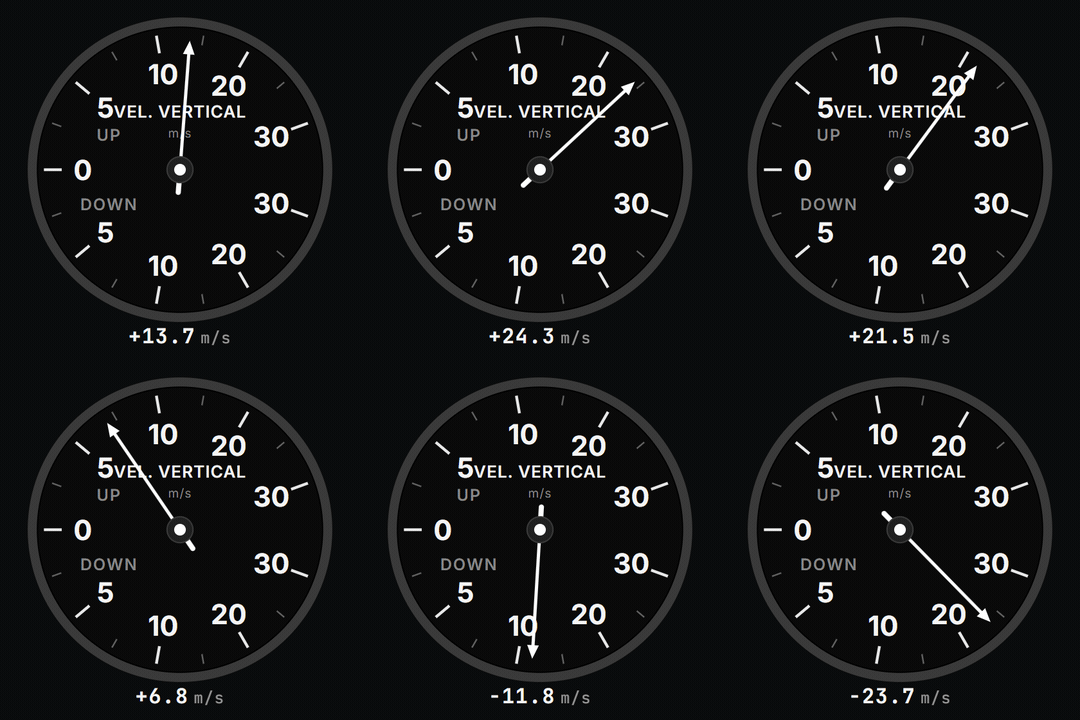
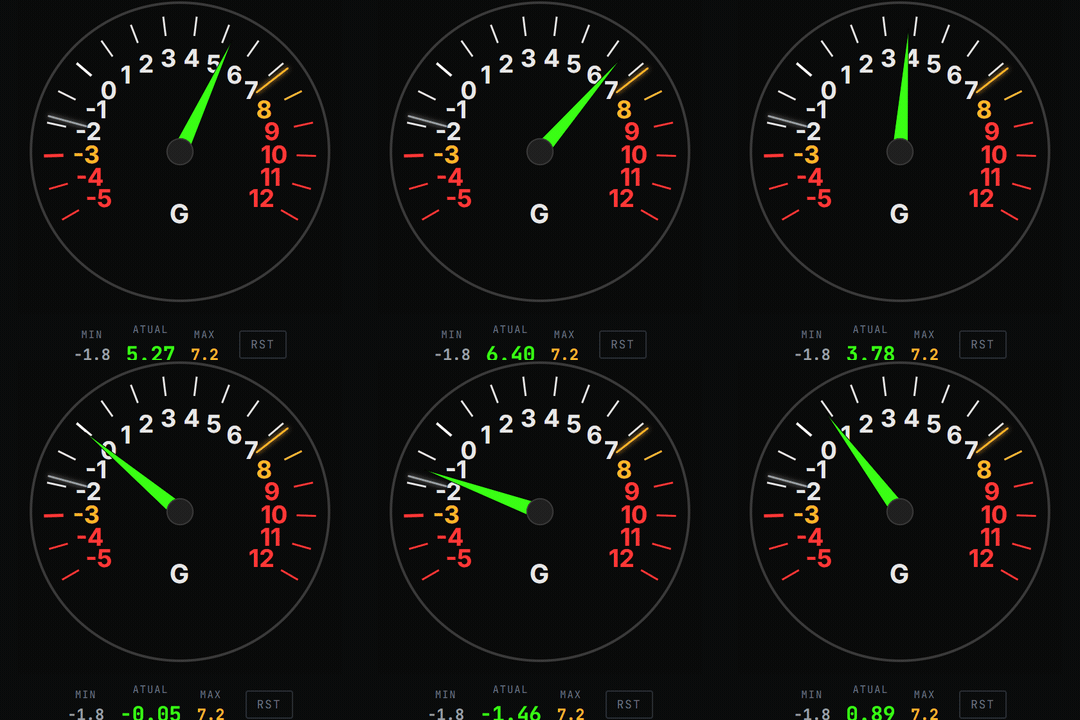
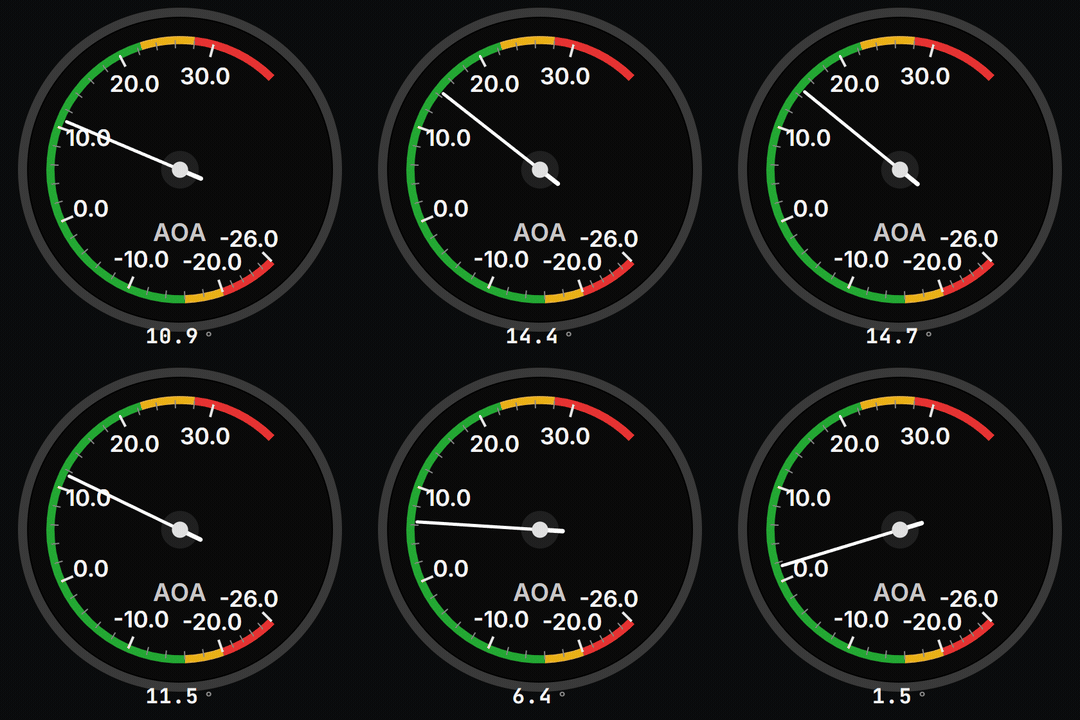
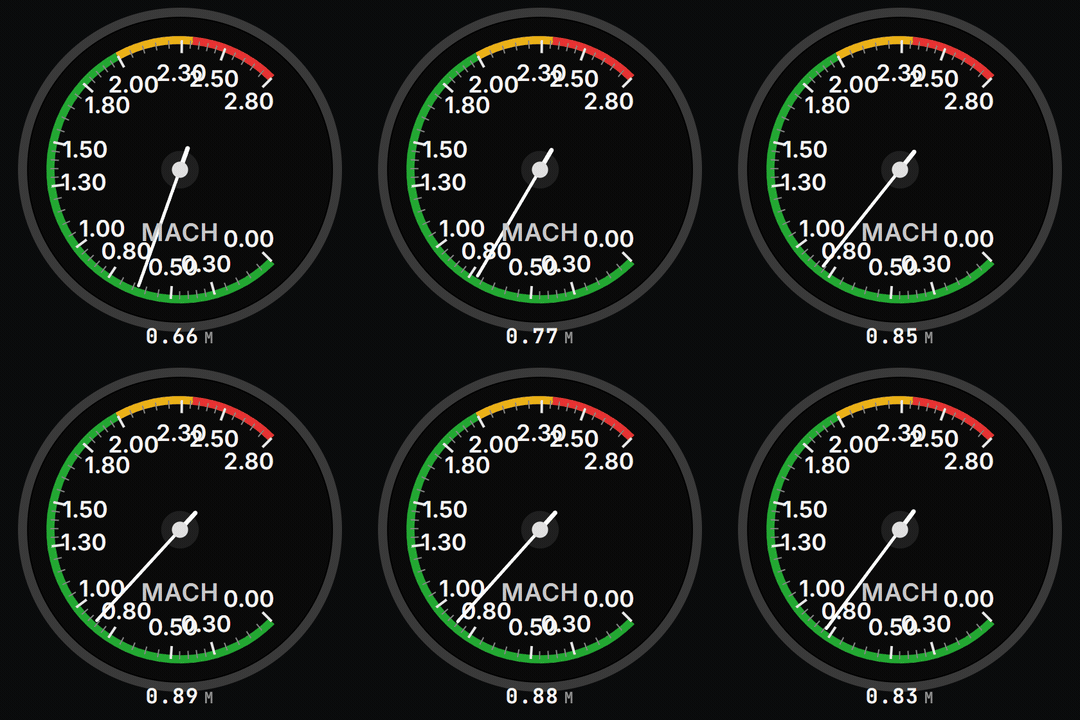
Airspeed, altitude, attitude, vertical speed, heading, G, angle of attack, engine, fuel, gear and flaps — drawn like real instruments, with movement smoothed at 60 frames per second. You read them at a glance, like in a cockpit.

Velocidade indicada (IAS) — instrumento real do Astarojna TelemetryHorizonte artificial — instrumento real do Astarojna TelemetryAltímetro — instrumento real do Astarojna TelemetryProa — instrumento real do Astarojna TelemetryVariômetro — instrumento real do Astarojna TelemetryIndicador de G — instrumento real do Astarojna TelemetryÂngulo de ataque — instrumento real do Astarojna TelemetryNúmero de Mach — instrumento real do Astarojna Telemetry
  • 40+ instruments
  • Cockpit colours
  • Amber and red alerts
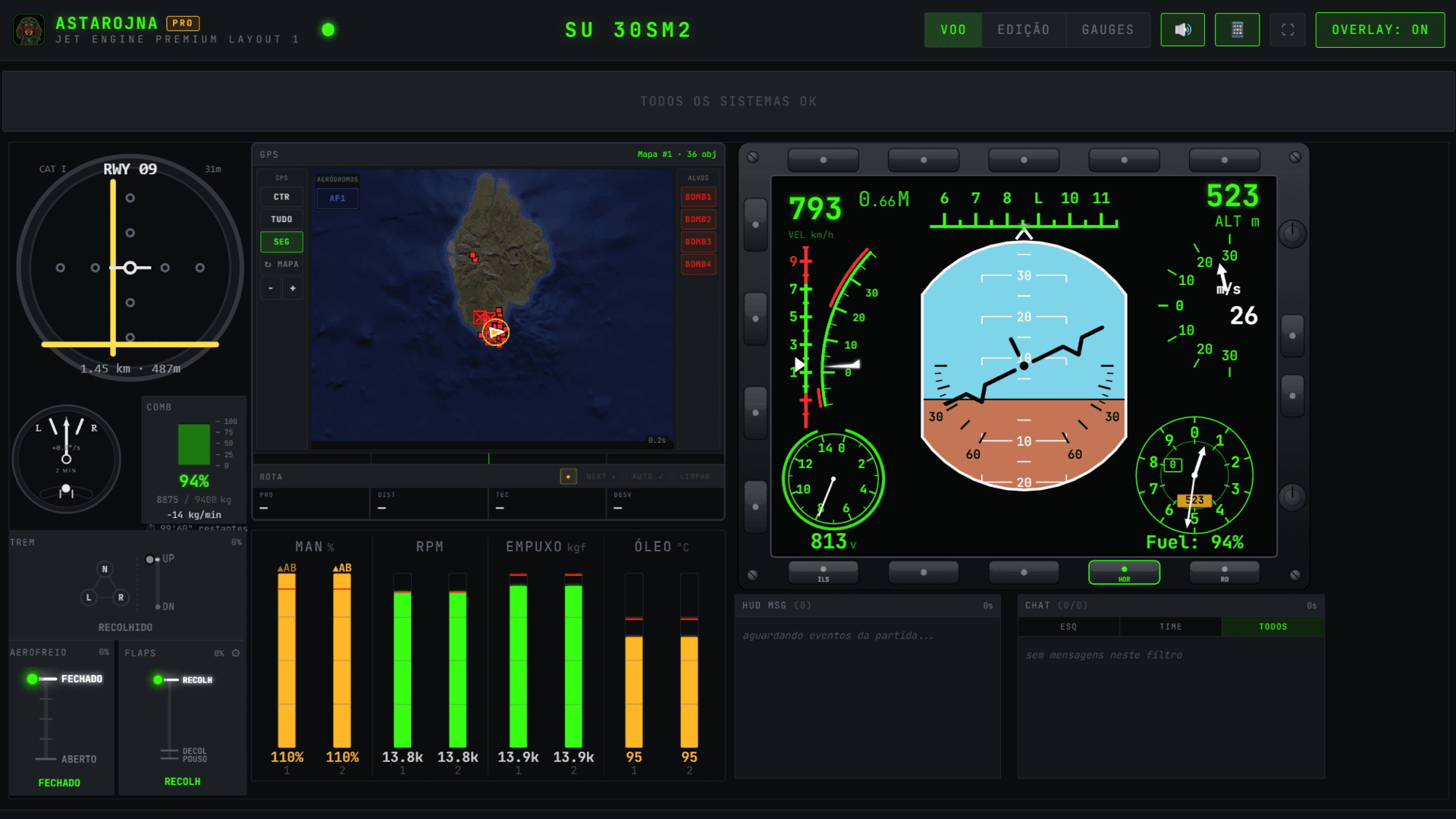
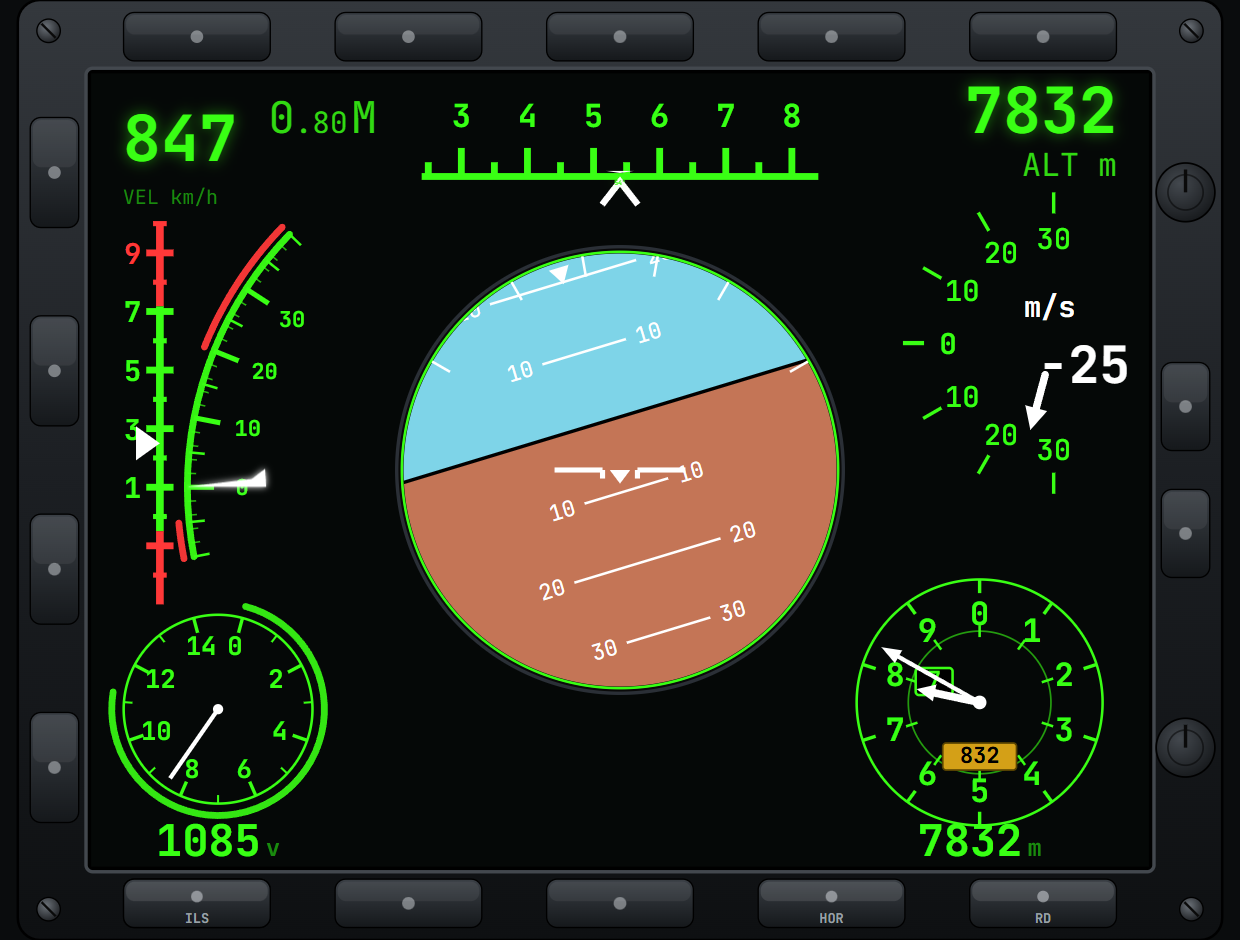
MFD estilo Sukhoi do Astarojna Telemetry: horizonte, fita de proa, velocidade, altitude, G e AoA
MFD

Put the fighter's MFD on another screen.

Horizon, heading tape, airspeed, altitude, G and angle of attack on a single display, Su-30 style — it fits whole on a tablet lying next to the stick, with touch buttons.

  • Su-30 style
  • Touch on the 2nd screen
  • Up to 5 switchable pages
HEAD TRACKINGexperimental

The webcam notices where you're looking.

Head tracking uses your PC camera — or the phone's front camera — to follow your head movement, with no sensor or extra hardware. With it enabled, the camera inside the game follows you: look to the side and the view comes along. It also moves what's in Astarojna's own windows, like the HMD.

HMD

Flight data that follows your gaze.

With the HMD on, airspeed, altitude and heading track your head movement on the app's screen — like a fighter's helmet-mounted display.

VIDEO · COMING SOON

Aircraft catalogue and limits in this demonstration: War Thunder.

PER-AIRCRAFT PROFILES

Astarojna knows what you're flying.

Switch aircraft and the cockpit adapts: G limits, stall, gear, flaps and the other references change with it — nothing to configure.

1,280+aircraft catalogued
AIRCRAFTPROFILE LOADED
Su-30SM2JET · AB
G LIMIT
+8.7/-2.9
STALL (AoA)
32°
GEAR UP TO
700km/h
FLAPS UP TO
600km/h
0 G510 G
MORE FEATURES

What else comes with the app.

  1. 01

    Gear, flaps and fuel alerts

    Amber light, then red, and a short tone — like in an aircraft, no siren.

  2. 02

    Overlay over the game

    On a single monitor: instruments appear in the match and disappear in the hangar, without stealing focus.

  3. 03

    Automatic profiles

    One layout per aircraft, loaded by itself when you switch planes.

  4. 04

    Community presets

    Ready-made layouts from other pilots, installed right in the app.

  5. 05

    DCS World: F/A-18C Hornet

    The Hornet's DDIs, UFC, IFEI and AMPCD on a real second screen.

  6. 06

    Up to 5 synced screens

    Each device with its own layout, switchable by touch. Map zoom follows across screens.

  7. 07

    Luna Gauges

    preview

    Customize your instruments with Luna Gauges and keep your own designs.

  8. 08

    Automatic updates

    Fixes and new features arrive signed, right in the app. No reinstalling.

COMMUNITY

Your cockpit keeps growing after the purchase.

Download panels made by other pilots, follow your achievements and discover new ways to use Astarojna.

Explore the community

A complete tool inside a living ecosystem.

Your purchase delivers the full app. The community adds ideas, panels, learning and recognition — with no required subscription.

View community panels
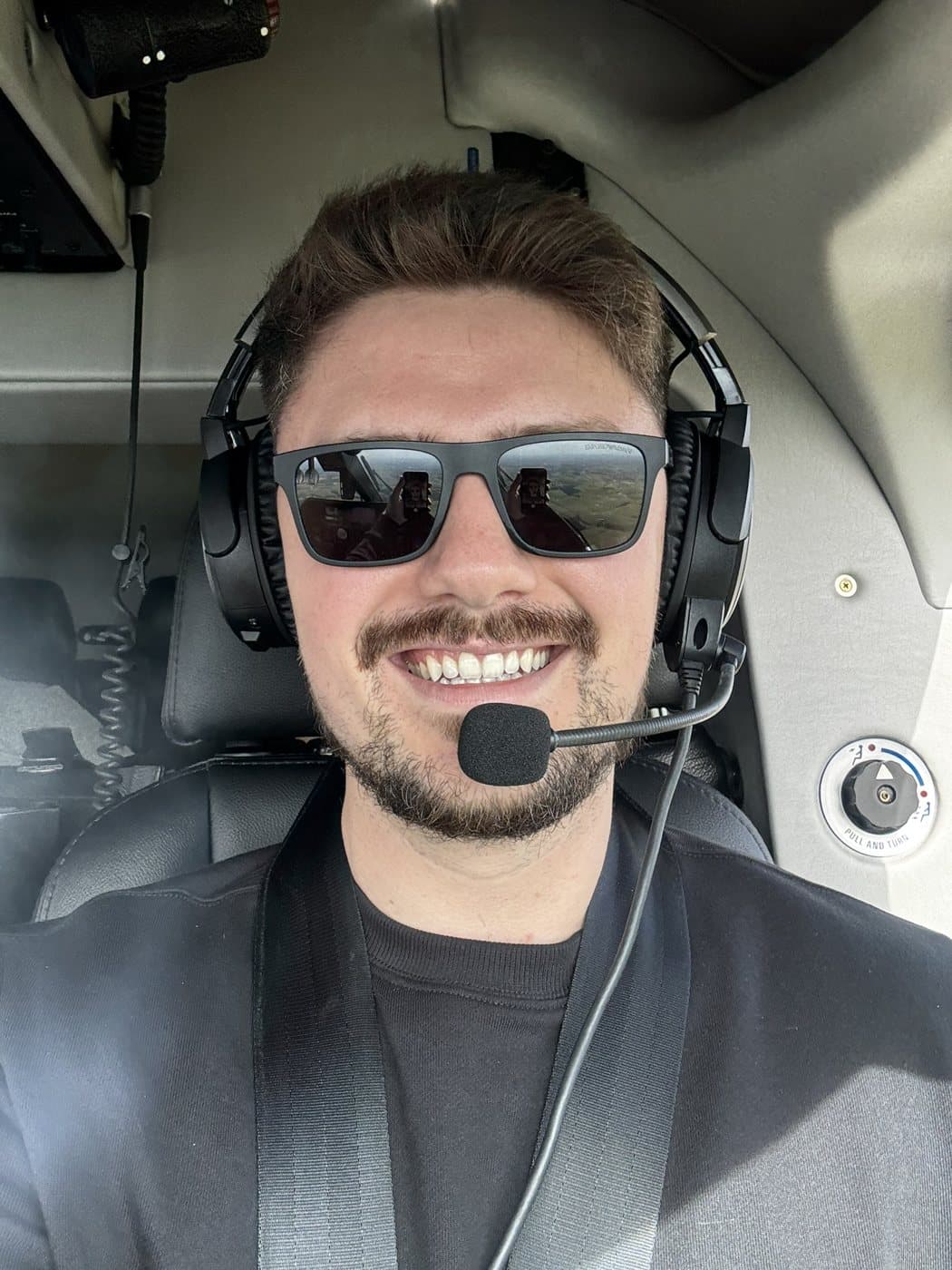
Gilberto Ehlke, founder of Astarojna, next to a helicopter
WHO CREATED ASTAROJNA

Built by someone who wanted to feel a cockpit again.

I started flight school at 16 without ever having flown. An R22 flight out of a hangar at Bacacheri airport changed that — I became a commercial helicopter pilot and instructor, and never again could look at a panel without reading every instrument.

When life kept me on the ground for a few years, the simulator kept the feeling alive. But no tool had the soul of a real cockpit: instruments that were hard to read, panels that looked like spreadsheets.

Astarojna is the panel I always wanted next to my monitor — every instrument thought through by someone who really flies. Today, back in the air on an AW109 and with a baby daughter at home, I keep building it for the community that loves flying as much as I do.

Gilberto Ehlke
helicopter pilot · founder
Read the Astarojna story
PRICING

One purchase. Your complete cockpit.

Every app feature in one licence. Pay once, keep flying. Supporter is optional support for development.

ONE-TIME PAYMENT

Astarojna Telemetry

Every app feature in one licence. Pay once, keep flying. Supporter is optional support for development.

  • Asta Display and controls for X-Plane 12
  • Customizable panels and Luna Gauges
  • Phone and tablet displays
  • Head tracking and experimental HMD
  • GPS, maps and navigation
  • MFD and supported DCS instruments
  • All functional features and app updates

Features and readings depend on the simulator and aircraft. Maps and navigation are not universal.

US$ 9.98
One-time purchase · no required subscription

15 simulator minutes · 7 days · no card

7-day guarantee — refund, no questions asked.

FAQ

Questions before you try

What most people ask before creating an account.

More questions? Talk to support

War Thunder, DCS World and X-Plane 12 are supported. Microsoft Flight Simulator 2024 and the IL-2 Series (Great Battles and Korea) are in beta; the original Assetto Corsa for Windows is experimental. The F/A-18C Hornet instruments are included in the complete licence and remain in open testing. Compatibility varies by aircraft, vehicle and simulator.

Your cockpit can start with the screen sitting next to you.

Build the first panel, connect a device you already own and see Astarojna working on your next flight.

15 simulator minutes · 7 days · no card