Beta replica · Test channel
IAS and Mach in one F-16C gauge
The Beta replica presents indicated airspeed and Mach in one gauge you can arrange on your panel.
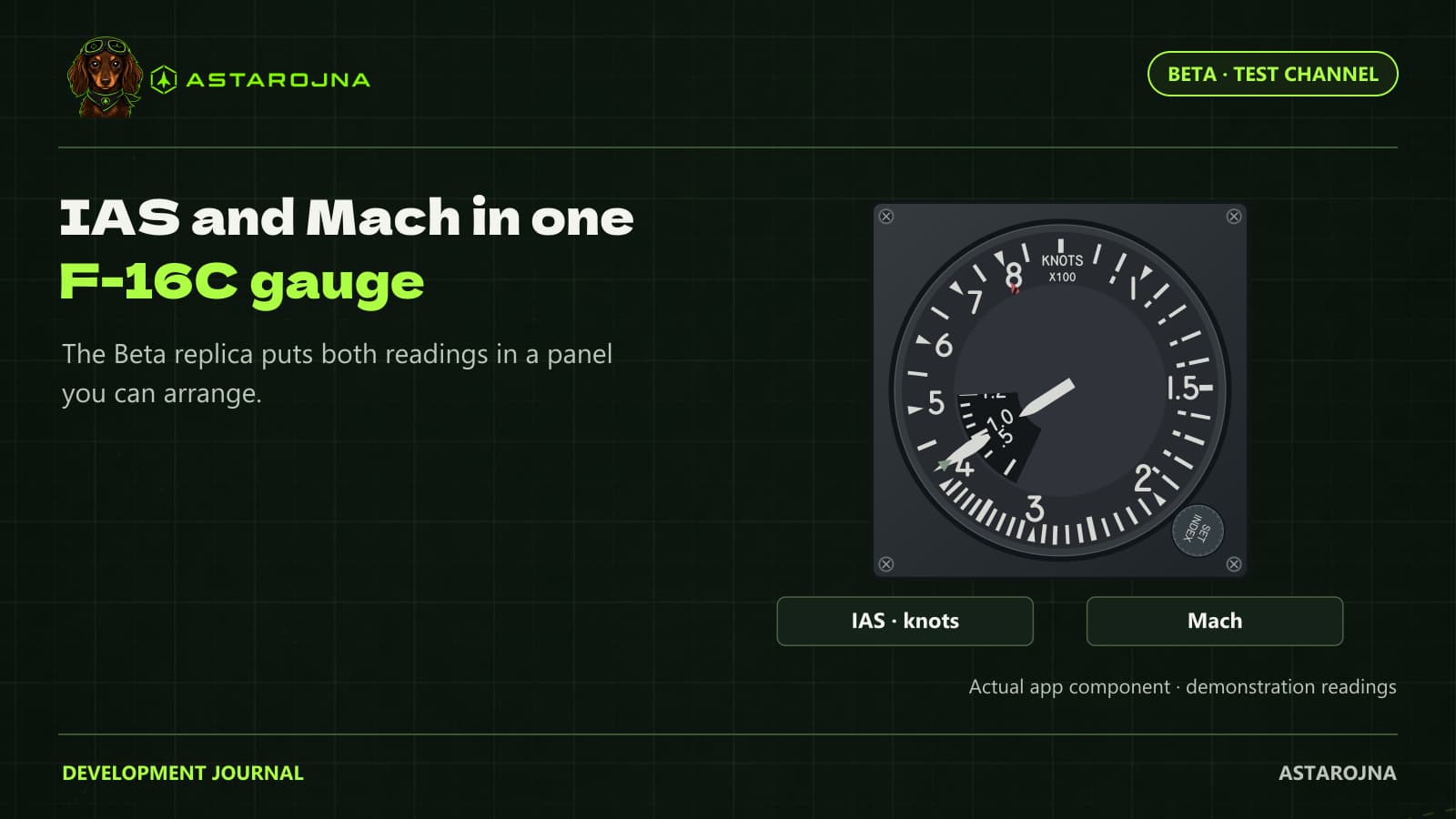
In the F-16C, indicated airspeed and Mach answer different questions. IAS helps you follow airspeed on the instrument scale, while Mach expresses speed relative to the speed of sound. The replica brings both readings into one cockpit-inspired gauge, leaving you free to arrange the rest of your panel around it.
The IAS/Mach replica was introduced across Test channel versions 0.45.20 to 0.45.24 and remains Beta. It brings the two readings into a gauge you can position and resize on your panel. Values used to illustrate it are examples only.
Try it in a separate panel
Find the F-16C IAS/Mach replica in the Test channel library and add it to a copy of your panel. Resize it until the scale and Mach window are readable from your usual viewing position. A separate panel lets you assess the layout without disturbing a personal panel you already rely on.
Read each value for what it is
IAS uses the indicated airspeed provided by the simulator, normalized and displayed in knots. Mach appears in the same gauge when its source reading is available. If a reading is missing, the replica should leave that absence visible rather than make up a value. When comparing it with the cockpit, check both the unit and the state of each indication.
What Beta covers here
This replica covers IAS and Mach; it does not turn the panel into a complete F-16C cockpit. Speed-limit markings and knobs should not be treated as mapped controls. Compare each available reading with the simulator gauge. If a value is absent, take that as a sign that its source channel is not available yet.